I remember the first time I opened a React codebase that was heavy on TypeScript. It looked like someone had smashed their keyboard and a bunch of angle brackets < > fell out.
I panicked. I closed the tab. I went to get coffee.
Generics have this reputation for being the “hard part” of TypeScript. The part where you need a computer science degree to understand what T extends keyof U actually means. But here’s the thing—and I wish someone had told me this five years ago—generics are literally just function arguments. That’s it.
If you can write a function that takes a parameter, you can write a generic.
I’ve spent the last few years cleaning up messy types in large projects, and I keep seeing the same pattern: developers either avoiding generics entirely (hello, any), or creating these massive, complex generic monsters that nobody can read.
Let’s find a middle ground. I want to show you how I actually use these things in production, specifically for APIs, DOM manipulation, and async stuff. No textbook theory, just code that works.
The “Type Argument” Mental Model
Before we look at code, shift your brain for a second.
When you write a function in JavaScript:
const echo = (message) => {
    return message;
}
You don’t know what message is until you call the function. It’s a placeholder.
Generics are the exact same mechanic, just for the *type* system. You have a type, but you don’t know what it is yet. So you put a placeholder there. usually T, but please, for the love of clean code, use descriptive names if it gets complicated.
// T is just a placeholder, like 'message' was
function echo<T>(message: T): T {
    return message;
}

// Now we "call" it with a type
const result = echo<string>("Hello");
Okay, basic theory over. That’s boring. Let’s look at where this actually saves my bacon: fetching data.
Handling API Responses Without Losing Your Mind
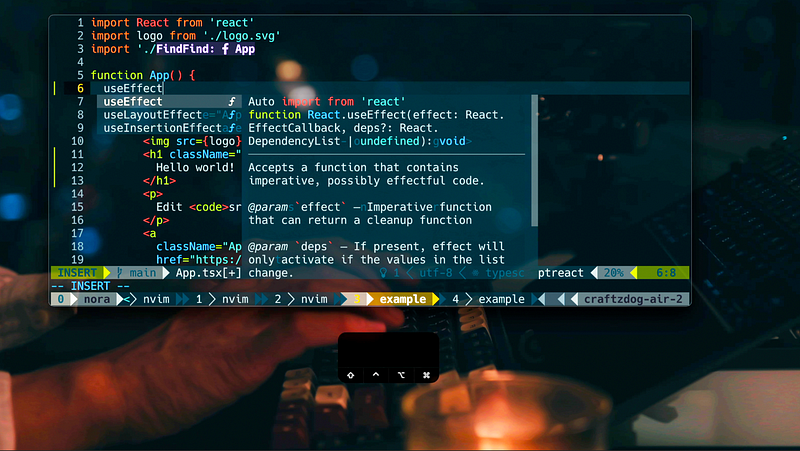
React TypeScript code on screen – My Neovim setup for React, TypeScript, Tailwind CSS, etc in 2022
This is my #1 use case.
You’re fetching data from an API. You know the API wrapper logic is always the same (headers, error handling, JSON parsing), but the *data* coming back is always different.
If you don’t use generics, you end up duplicating your fetch function for every single endpoint, or worse, typing the return as any and praying the backend dev didn’t rename userId to user_id without telling you.
Here is the wrapper I copy-paste into almost every project I start:
async function api<ResponseData>(url: string): Promise<ResponseData> {
    const response = await fetch(url);

    if (!response.ok) {
        throw new Error(response.statusText);
    }

    // We promise TS that this json is actually ResponseData
    return response.json() as Promise<ResponseData>;
}
See that <ResponseData>? That’s me saying, “I don’t know what this API returns yet, but the caller will tell me.”
Now, when I’m actually building a feature—say, a user profile page—I just define the shape of the data I expect and pass it in.
// Define the shape of the data
interface User {
    id: number;
    username: string;
    email: string;
    isActive: boolean;
}

async function getUser(id: number) {
    // Pass 'User' into the generic slot
    // Now 'user' is fully typed. IntelliSense works.
    // If I try to access user.address, TS yells at me.
    const user = await api<User>(/api/users/${id});

    console.log(user.username); // Typescript knows this is a string
    return user;
}
I can’t tell you how many bugs this catches. If the backend team changes the API contract, I just update the User interface, and suddenly 15 files light up with red squigglies showing me exactly what broke. It’s fantastic.
The DOM is Messy (Generics Make It Bearable)
If you do any direct DOM manipulation—maybe you’re working with HTML Canvas or just grabbing values from inputs—TypeScript can be really annoying.
By default, document.querySelector returns an Element | null. But Element is too generic. It doesn’t have a .value property. It doesn’t have .getContext().
So you try to access .value and TypeScript slaps your hand.
“Property ‘value’ does not exist on type ‘Element’.”
Yeah, I know. I know it’s an input. I wrote the HTML.
You *could* use type assertion (as HTMLInputElement), but generics are cleaner here because they flow through the function.
// The generic T defaults to Element, but extends Element so you can't pass 'string'
function getEl<T extends Element>(selector: string): T | null {
    const el = document.querySelector(selector);
    return el as T | null;
}

// Usage
const input = getEl<HTMLInputElement>('.user-email');

if (input) {
    // TypeScript knows this is an HTMLInputElement
    // So .value is valid!
    console.log(input.value);
}
Wait, look at that <T extends Element>.
This is a **constraint**. It’s vital.
If I didn’t add that, someone could write getEl<number>('...') and TypeScript would be fine with it until runtime, where it would explode because a DOM element isn’t a number. Constraints let you say “This generic can be anything, AS LONG AS it looks like an Element.”
Async Functions and Promises
This is where I see people get confused the most.
In modern JavaScript (it’s 2025, we should all be using async/await by now), every async function returns a Promise. But a Promise of *what*?
If you don’t explicitly type the return value, TypeScript infers it. Usually, it does a good job. But sometimes you need to be explicit, especially if you are building libraries or shared utilities.
The syntax Promise<T> is probably the most common generic you’ll see.
interface Config {
    theme: 'dark' | 'light';
    version: number;
}

// Explicitly saying: This function returns a Promise that resolves to a Config object
const loadConfig = async (): Promise<Config> => {
    // Simulating a delay/read
    const result = await someInternalFileRead();

    // If result doesn't match Config, error here.
    return result;
}
Why bother typing the return?
Documentation.
When I’m reading through a file trying to figure out why the app is crashing at 4 PM on a Friday, seeing Promise<Config> tells me exactly what I’m getting without me having to read the entire function body.
Don’t Go Overboard
programmer looking at complex code – The Coding of What Looks Simple Is Often Highly Complex
Here is the trap.
Once you get comfortable with generics, you start wanting to use them everywhere. You start writing code that looks like this:
// Please don't do this
function obscure<T, U, V>(a: T, b: U): V {
    // ... magic logic
}
I worked on a project last year where a senior dev had created a generic component that took 8 different type arguments. Eight.
Nobody could use it. We all just ended up writing our own simple versions instead.
The rule of thumb I use: **If you can’t explain what T represents in one sentence, you’ve made it too complex.**
A Quick Note on Defaults
One cool trick that saved me a lot of typing recently is generic defaults. Just like function parameters can have default values (function(a = 1)), generics can too.
// If no type is provided, assume it's a generic Record<string, any>
class StorageBox<T = Record<string, any>> {
    private item: T;

    constructor(item: T) {
        this.item = item;
    }

    getItem(): T {
        return this.item;
    }
}

// Uses default
const box1 = new StorageBox({ whatever: "works" });

// Explicit type
const box2 = new StorageBox<string>("Just a string");
This is super helpful for refactoring legacy code. You can introduce generics to a class that didn’t have them before, set a default of any (temporarily!), and existing code won’t break. Then you can tighten the screws later.
The Bottom Line
TypeScript generics aren’t magic. They aren’t scary. They are just variables for your types.
I stopped fighting them when I realized they were the only thing standing between me and runtime errors. Sure, reading the syntax can feel like parsing regex sometimes, but the confidence you get when hitting “Deploy” makes it worth the headache.
Start small. Wrap your fetch calls. Type your Promise returns. Just don’t try to build the next great abstraction layer on day one. Keep it simple, and your future self (and your team) will thank you.