
Introduction to Advanced Type Composition
In the modern landscape of web development, TypeScript has evolved from a mere superset of JavaScript into an indispensable tool for building robust, scalable applications. As developers migrate from TypeScript JavaScript to TypeScript projects, they often start with basic types like strings, numbers, and interfaces. However, the true power of the language lies in its ability to model complex data structures through composition. One of the most powerful features in this domain is TypeScript Intersection Types.
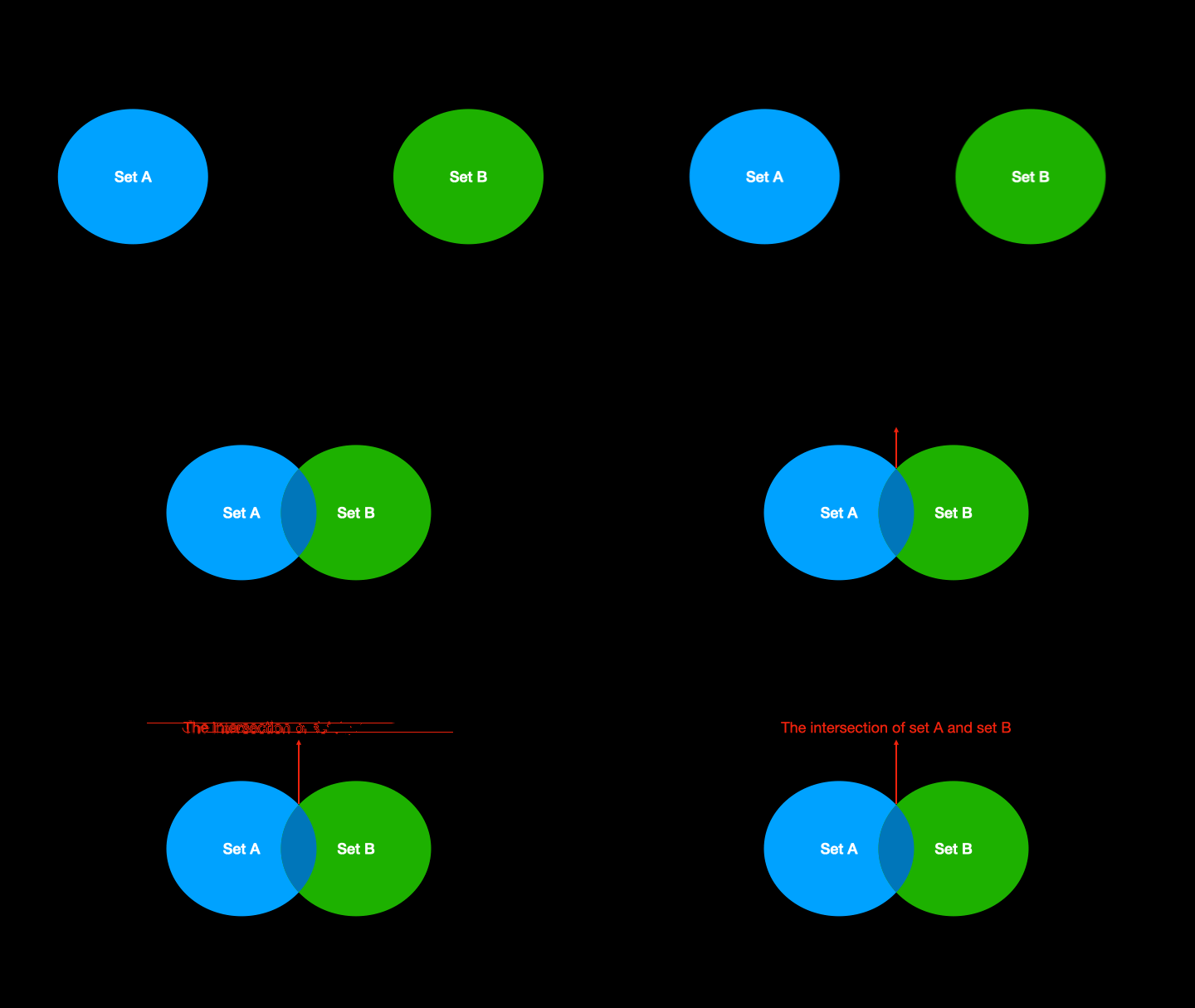
While Union types allow a value to be one of several types (an “OR” relationship), Intersection types allow you to combine multiple types into one (an “AND” relationship). This concept is fundamental to writing clean, DRY (Don’t Repeat Yourself) code. Whether you are working on TypeScript React components, TypeScript Node.js backends, or complex TypeScript Angular services, understanding how to merge types effectively can significantly reduce boilerplate and increase type safety.
This article will take you deep into the mechanics of Intersection types. We will explore how they differ from interfaces, how to use them in TypeScript Async workflows, and how to leverage them for TypeScript Best Practices. By the end of this tutorial, you will possess the advanced knowledge required to level up your TypeScript Development skills.
Section 1: Core Concepts and Syntax
At its core, an intersection type combines multiple types into a single type. This new type possesses all the properties of the constituent types. The syntax uses the ampersand (&) operator. This is particularly useful when you want to mix functionality from different sources without using class inheritance, adhering to the principle of composition over inheritance.
The Basics of Intersection
Imagine you are building a system that handles user identities and permissions. You might have a basic user structure and a separate permission structure. Instead of creating a massive, monolithic interface, you can define them separately and intersect them when needed. This is a cornerstone of TypeScript Patterns.
Let’s look at a fundamental example of how TypeScript Interfaces can be combined using intersection types.
interface Identity {
  id: number;
  username: string;
  email: string;
}

interface Permissions {
  role: 'admin' | 'editor' | 'viewer';
  permissions: string[];
}

// Creating an Intersection Type
type AdminUser = Identity & Permissions;

const createAdmin = (user: Identity, perms: Permissions): AdminUser => {
  // We must return an object that satisfies BOTH interfaces
  return {
    ...user,
    ...perms,
    // Additional logic can go here
  };
};

const newAdmin: AdminUser = {
  id: 101,
  username: "dev_master",
  email: "[email protected]",
  role: "admin",
  permissions: ["read", "write", "delete"]
};

console.log(`User ${newAdmin.username} has role: ${newAdmin.role}`);
Intersection vs. Interface Extension
A common question among those learning TypeScript Basics is: “Why use intersections when I can just extend interfaces?” While interface Admin extends Identity, Permissions {} works similarly, intersections offer more flexibility. Intersection types can combine primitives, unions, and object types, whereas interfaces can only extend other object types or interfaces.
Furthermore, TypeScript Type Inference works exceptionally well with intersections. If you have a function that returns T & U, TypeScript automatically understands that the result has members of both T and U without needing explicit casting or TypeScript Type Assertions.

Section 2: Practical Implementation in Real-World Scenarios
Theory is useful, but practical application is where TypeScript Intersection Types truly shine. In this section, we will explore how to use intersections in API handling, DOM manipulation, and frontend framework props.
Handling API Responses
When working with TypeScript Node.js or consuming APIs in the browser, API responses often share a common structure (meta-data, pagination, status) but differ in the actual data payload. Instead of rewriting the envelope properties for every single data type, you can use TypeScript Generics combined with intersections.
// Base API response structure
interface ApiResponse {
  status: number;
  timestamp: string;
  requestId: string;
}

// Specific data models
interface Product {
  sku: string;
  price: number;
  inStock: boolean;
}

interface UserProfile {
  userId: string;
  displayName: string;
}

// Generic type combining the base response with specific data
type ServiceResponse<T> = ApiResponse & {
  data: T;
};

// Simulating an Async API call
async function fetchProduct(sku: string): Promise<ServiceResponse<Product>> {
  // Simulating network delay
  await new Promise(resolve => setTimeout(resolve, 500));

  return {
    status: 200,
    timestamp: new Date().toISOString(),
    requestId: "req_12345",
    data: {
      sku: sku,
      price: 29.99,
      inStock: true
    }
  };
}

// Usage
fetchProduct("GADGET-001").then(response => {
  // TypeScript knows 'response' has both status and data.price
  if (response.status === 200) {
    console.log(`Price: $${response.data.price}`);
  }
});
Component Props in React
In the ecosystem of TypeScript React, intersections are vital for creating reusable components. You often want a component to accept its own custom props plus all the standard HTML attributes for the underlying element. This is often achieved using TypeScript Utility Types and intersections.
For example, creating a custom Button component that accepts a variant prop but also allows onClick, className, and disabled requires intersecting your custom interface with React.ButtonHTMLAttributes.
import React from 'react';

// Custom properties for our component
interface ButtonStyleProps {
  variant: 'primary' | 'secondary' | 'danger';
  size?: 'small' | 'medium' | 'large';
}

// Intersection: Custom Props + Native HTML Button Props
type CustomButtonProps = ButtonStyleProps & React.ButtonHTMLAttributes<HTMLButtonElement>;

const CustomButton: React.FC<CustomButtonProps> = ({
  variant,
  size = 'medium',
  className,
  children,
  ...rest // Captures remaining HTML props
}) => {

  const classes = `btn btn-${variant} btn-${size} ${className || ''}`;

  return (
    <button className={classes} {...rest}>
      {children}
    </button>
  );
};

// Usage Example
// Note: type checking validates 'variant' AND 'onClick'
const App = () => (
  <CustomButton
    variant="primary"
    onClick={() => console.log('Clicked!')}
    disabled={false}
  >
    Submit
  </CustomButton>
);
Section 3: Advanced Techniques and Mixins
Moving beyond basic data structures, TypeScript Advanced topics often involve dynamic object composition, commonly known as Mixins. JavaScript is dynamic by nature, allowing objects to be extended at runtime. TypeScript models this behavior statically using Intersection Types.
Functional Mixins with Generics
A powerful pattern in TypeScript Functional Programming is creating a function that merges two objects and returns an intersection of their types. This requires the use of TypeScript Generics to preserve the type information of the inputs.
// A generic function to merge two objects
// T & U represents the Intersection of the two types
function mergeObjects<T extends object, U extends object>(first: T, second: U): T & U {
  return { ...first, ...second };
}

const logger = {
  log: (msg: string) => console.log(`[LOG]: ${msg}`)
};

const dbService = {
  save: (id: number) => console.log(`Saving ID: ${id}`)
};

// The type of 'service' is inferred as:
// { log: (msg: string) => void } & { save: (id: number) => void }
const service = mergeObjects(logger, dbService);

// We can access methods from both sources
service.log("Starting transaction");
service.save(55);

// This pattern is excellent for 'Decorators' or enhancing objects
// without using class inheritance hierarchies.
Recursive Types and Intersections
Intersections can also play a role in defining recursive data structures, such as linked lists or tree nodes, where a node might be an intersection of data and a reference to the next node. While TypeScript Union Types are more common for base cases (Node | null), intersections help in defining the structure of the active node itself.
When dealing with TypeScript Strict Mode, you must ensure that your intersections do not result in impossible types. For instance, if you define a type type Impossible = string & number;, the resulting type is never. This is because a value cannot be both a primitive string and a primitive number simultaneously. Understanding the never type is crucial for TypeScript Debugging.

Section 4: Best Practices and Optimization
To maintain a clean codebase and ensure high TypeScript Performance during compilation, it is essential to follow specific best practices when using intersection types. Misuse can lead to confusing error messages and slow build times in tools like TypeScript Webpack or TypeScript Vite.
1. Avoid Property Conflicts
If you intersect two types that share a property name but have different types for that property, the result becomes never (for primitives) or a stricter intersection (for objects). This is a common pitfall.
interface A {
  id: string;
}

interface B {
  id: number;
}

type C = A & B;

// Error: Type 'string' is not assignable to type 'never'.
// The 'id' property becomes 'string & number', which is impossible.
// const item: C = { id: "123" };
To fix this, use TypeScript Utility Types like Omit to exclude the conflicting property before intersecting, or rethink your data model.
2. Use Type Aliases over Interfaces for Intersections
While interfaces can extend other interfaces, they cannot model the intersection of a union or primitive types. Therefore, the convention in TypeScript Projects is to use type aliases when defining intersections. This also tends to be cleaner when using TypeScript Prettier for formatting.
3. Leverage Type Guards
When you have an object that is an intersection, you generally don’t need TypeScript Type Guards to check if a property exists (because the type guarantees it). However, if you are building the object incrementally (Partial intersection), you might need to check properties. Always ensure your objects are fully formed before assigning them to an intersection type to avoid runtime errors.
4. Tooling Configuration
Ensure your tsconfig.json is set up correctly. Enabling strict: true is highly recommended. It forces you to handle null and undefined correctly within your intersections. Additionally, using TypeScript ESLint can help catch issues where intersections might be creating overly complex or redundant types.
Conclusion
TypeScript Intersection Types are a robust feature that enables developers to write highly flexible and reusable code. By allowing the combination of existing types into new, comprehensive structures, they facilitate a compositional architecture that scales well from small TypeScript Express apps to large enterprise TypeScript NestJS systems.
We have covered the syntax, compared intersections with interface extensions, and demonstrated practical applications in API response handling and React component composition. We also delved into the potential pitfalls, such as the creation of the never type through conflicting properties.
As you continue your journey in TypeScript Development, remember that the goal is not just to satisfy the TypeScript Compiler, but to create code that is self-documenting and easy to maintain. Start refactoring your existing interfaces to use intersections where appropriate, and explore how TypeScript Libraries use this pattern to provide type-safe APIs. Mastering these concepts is a significant step toward becoming a senior TypeScript developer.



