

I still remember the exact production bug that broke me. It was 2017, a Friday afternoon, and a massive e-commerce Node.js application I was leading decided to crash during a flash sale. The culprit? A classic TypeError: Cannot read property 'price' of undefined. A deeply nested JavaScript object was missing a property because a third-party API changed its response shape without warning. We lost thousands of dollars in revenue over a typo that a modern compiler would have caught in milliseconds.
That weekend, I started my first real TypeScript migration. I haven’t looked back since. If you are building modern web applications, relying entirely on vanilla JavaScript is like driving down the highway blindfolded. You might survive for a while, but eventually, you are going to crash.
This comprehensive TypeScript Tutorial is designed to fast-track your journey from writing fragile, dynamically typed code to building bulletproof, scalable applications. Whether you are aiming to master TypeScript Basics or dive deep into TypeScript Advanced patterns, this guide distills years of my hard-won production experience into actionable steps.
Understanding the Shift: TypeScript vs JavaScript
Before we write any code, we need to address the elephant in the room: why add a compilation step to a language that was designed to be interpreted? The TypeScript vs JavaScript debate is mostly settled in the enterprise world, but if you’re working on solo TypeScript Projects, you might still be wondering if the overhead is worth it.
JavaScript is a dynamically typed language. It doesn’t know what shape your data is until the code actually runs. TypeScript, built by Microsoft, is a strict syntactical superset of JavaScript. It adds static typing to the language. This means you define the shape of your data, and the TypeScript Compiler (tsc) checks your code before it ever reaches the browser or your Node.js server.
When you use TypeScript, your editor becomes incredibly smart. You get flawless autocomplete, instant refactoring capabilities, and inline TypeScript Errors that warn you when you are doing something stupid. Furthermore, TypeScript Performance is purely a build-time concern. Because the compiler strips out all the type annotations during the build step, the resulting output is just highly optimized, plain JavaScript. There is zero runtime performance penalty.
Setting Up Your TypeScript Development Environment
Let’s get our hands dirty. You need Node.js installed (I recommend v18 or v20 LTS). We are going to initialize a new project and set up our TypeScript Configuration.
Open your terminal and run the following commands:
mkdir my-typescript-tutorial
cd my-typescript-tutorial
npm init -y
npm install typescript @types/node --save-dev
Never install TypeScript globally. Always install it as a devDependency in your project. This ensures that every developer on your team, and your CI/CD pipeline, uses the exact same version of the compiler, preventing “it works on my machine” syndrome.
Next, we need a TypeScript TSConfig file. This file dictates how strict the compiler should be and what environment it should target. Generate it by running:
npx tsc --init
Open the generated tsconfig.json. You will see dozens of commented-out options. For modern TypeScript Development, I highly recommend enforcing TypeScript Strict Mode. Ensure the following settings are active:
{
  "compilerOptions": {
    "target": "ES2022",
    "module": "CommonJS",
    "moduleResolution": "node",
    "strict": true,
    "noImplicitAny": true,
    "strictNullChecks": true,
    "esModuleInterop": true,
    "skipLibCheck": true,
    "forceConsistentCasingInFileNames": true,
    "outDir": "./dist"
  },
  "include": ["src/**/*"]
}
The "strict": true flag is non-negotiable. If you turn this off, you are just writing spicy JavaScript and losing 80% of the benefits of the language.
TypeScript Basics: Types, Variables, and Inference
Let’s look at TypeScript Types. The core primitive types are exactly what you know from JavaScript: string, number, boolean, null, and undefined.
Create a file at src/index.ts:
let productName: string = "Mechanical Keyboard";
let price: number = 149.99;
let inStock: boolean = true;
However, explicitly typing every single variable is a rookie mistake. The TypeScript compiler features incredibly powerful TypeScript Type Inference. If you assign a value to a variable at the time of declaration, TypeScript automatically knows its type.
// Better: Let the compiler infer the types
let username = "DevGuru99"; // TypeScript knows this is a string
let retryCount = 3; // TypeScript knows this is a number

// This will throw a compile-time error:
// username = 42; // Error: Type 'number' is not assignable to type 'string'.
Occasionally, you will know more about a value than the compiler does. This is where TypeScript Type Assertions come in. You use the as keyword to force the compiler to treat a value as a specific type. Use this sparingly, as it overrides the safety checks.
const someValue: unknown = "this is a string";
const strLength: number = (someValue as string).length;
Defining Data Structures: TypeScript Interfaces and Types
When you move beyond primitives, you need to define the shape of your objects. This is where you will spend most of your time. You have two main tools: TypeScript Interfaces and Type Aliases.
Using Interfaces
Interfaces are ideal for defining the shape of objects, particularly when you are building out object-oriented code or defining API contracts.
interface User {
  id: string;
  email: string;
  firstName: string;
  lastName?: string; // The '?' makes this property optional
  readonly createdAt: Date; // Cannot be modified after creation
}

const currentUser: User = {
  id: "usr_123",
  email: "[email protected]",
  firstName: "John",
  createdAt: new Date(),
};

// currentUser.createdAt = new Date(); // Error: Cannot assign to 'createdAt' because it is a read-only property.
TypeScript Union Types and Intersection Types
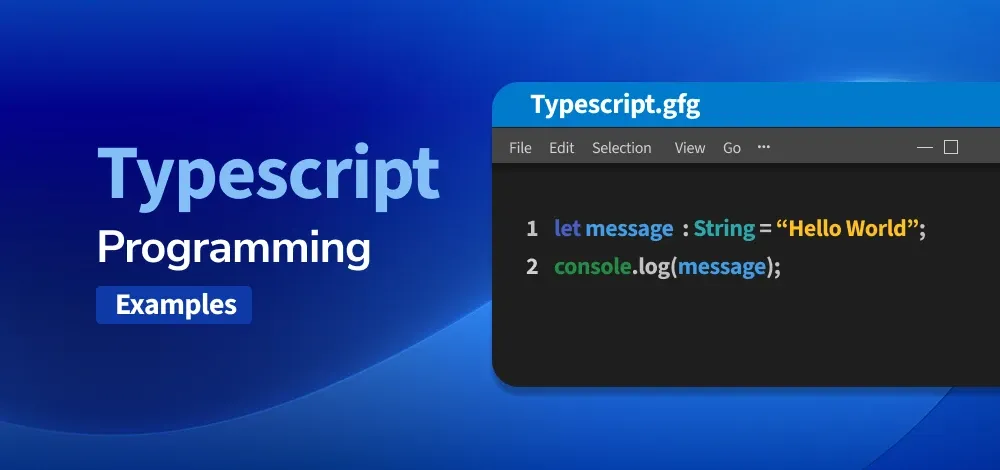
Type aliases are more flexible than interfaces. They allow you to create TypeScript Union Types (a value can be one of several types) and TypeScript Intersection Types (combining multiple types into one).
// Union Type
type OrderStatus = "pending" | "shipped" | "delivered" | "cancelled";

let currentStatus: OrderStatus = "pending";
// currentStatus = "lost"; // Error: Type '"lost"' is not assignable to type 'OrderStatus'.

// Intersection Type
type APIResponse = { status: number; message: string };
type UserData = { user: User };

type FetchUserResponse = APIResponse & UserData;

const response: FetchUserResponse = {
  status: 200,
  message: "Success",
  user: currentUser
};
I generally prefer using interface for defining object shapes (like database models or React props) because they provide slightly better error messages and can be extended. I use type for unions, intersections, and mapping.
TypeScript Enums
TypeScript Enums allow you to define a set of named constants. While numeric enums exist, I strongly advocate for string enums in production code because they are much easier to debug when inspecting network payloads or database entries.
enum UserRole {
  ADMIN = "ADMIN",
  EDITOR = "EDITOR",
  VIEWER = "VIEWER"
}

function checkAccess(role: UserRole) {
  if (role === UserRole.ADMIN) {
    console.log("Access granted to admin dashboard.");
  }
}
Mastering TypeScript Functions
Typing functions properly is critical. You must define the types of the arguments and, ideally, the return type. Let’s look at standard TypeScript Functions and TypeScript Arrow Functions.
// Standard function
function calculateTax(amount: number, taxRate: number = 0.2): number {
  return amount * taxRate;
}

// Arrow function
const formatCurrency = (amount: number, currency: string): string => {
  return new Intl.NumberFormat('en-US', { style: 'currency', currency }).format(amount);
};
When dealing with modern JavaScript, you are constantly working with asynchronous code. TypeScript Async functions and TypeScript Promises require a specific generic syntax to define what the Promise will eventually resolve to.
// Async function returning a Promise that resolves to a User array
async function fetchActiveUsers(): Promise<User[]> {
  const response = await fetch('/api/users?active=true');
  if (!response.ok) {
    throw new Error("Failed to fetch users");
  }
  return response.json();
}
Leveling Up: TypeScript Advanced Features
Once you understand the basics, you need to learn the patterns that make TypeScript truly powerful for building enterprise-grade TypeScript Libraries and frameworks.
TypeScript Generics
TypeScript Generics are often the biggest hurdle for developers migrating from JavaScript. Think of Generics as variables for types. They allow you to write reusable, type-safe code without knowing the exact type upfront.
Consider a standard API wrapper. You don’t want to write a separate fetch function for every single data type in your application.
// The <T> is a generic type parameter
async function apiGet<T>(url: string): Promise<T> {
  const response = await fetch(url);
  const data = await response.json();
  return data as T;
}

// Usage: We tell the function what type we expect back
const users = await apiGet<User[]>('/api/users');
const product = await apiGet<Product>('/api/products/1');

// Now 'users' has full Array and User autocomplete!
users.map(u => console.log(u.email));
TypeScript Utility Types
TypeScript provides several built-in TypeScript Utility Types to transform existing types. They save you from repeating yourself. The most common ones I use daily are Partial, Pick, and Omit.
interface Product {
  id: string;
  name: string;
  description: string;
  price: number;
  inventoryCount: number;
}

// Partial: Makes all properties optional (great for update payloads)
type UpdateProductDTO = Partial<Product>;

// Pick: Selects specific properties
type ProductPreview = Pick<Product, "id" | "name" | "price">;

// Omit: Removes specific properties (great for stripping sensitive data)
type ProductWithoutInventory = Omit<Product, "inventoryCount">;
TypeScript Type Guards
When you have a variable that could be multiple types (a union), you need to narrow it down safely before operating on it. TypeScript Type Guards allow you to do this.
type ResponseData = string | { error: string } | number[];

function processResponse(data: ResponseData) {
  // Type Guard using typeof
  if (typeof data === "string") {
    console.log(data.toUpperCase()); // TypeScript knows data is a string here
  }
  // Type Guard using 'in' operator
  else if ("error" in data) {
    console.error(data.error); // TypeScript knows data is the error object
  }
  // Type Guard using Array.isArray
  else if (Array.isArray(data)) {
    console.log(Received ${data.length} numbers);
  }
}
Object-Oriented Programming: TypeScript Classes and Decorators
While functional programming is highly popular in React, object-oriented programming remains dominant in backend frameworks. TypeScript Classes provide access modifiers (public, private, protected) that JavaScript historically lacked.
class DatabaseConnection {
  private static instance: DatabaseConnection;
  private readonly connectionString: string;

  private constructor(connectionString: string) {
    this.connectionString = connectionString;
  }

  public static getInstance(connectionString: string): DatabaseConnection {
    if (!DatabaseConnection.instance) {
      DatabaseConnection.instance = new DatabaseConnection(connectionString);
    }
    return DatabaseConnection.instance;
  }

  public connect(): void {
    console.log(Connecting to ${this.connectionString}...);
  }
}
If you are working with frameworks like NestJS or Angular, you will heavily rely on TypeScript Decorators. Decorators are a meta-programming syntax that allows you to attach metadata or modify the behavior of classes and methods. (Note: Ensure "experimentalDecorators": true is in your tsconfig.json).
// A simple class decorator
function Logger(constructor: Function) {
  console.log(Class ${constructor.name} was instantiated.);
}

@Logger
class UserController {
  constructor() {
    console.log("UserController created");
  }
}
A quick note on architecture: You might see older codebases using TypeScript Namespaces to organize code. Do not use them in modern projects. They are largely considered legacy. Stick to standard ES TypeScript Modules (import/export) for organizing your files.
Ecosystem Integration: React, Node.js, and Frameworks
Learning syntax is one thing, but applying it to real TypeScript Frameworks is where the magic happens.
TypeScript React
In TypeScript React development, defining props using interfaces completely eliminates the need for the clunky prop-types library.
import React from 'react';

interface ButtonProps {
  label: string;
  onClick: () => void;
  variant?: 'primary' | 'secondary' | 'danger';
  disabled?: boolean;
}

export const Button: React.FC<ButtonProps> = ({
  label,
  onClick,
  variant = 'primary',
  disabled = false
}) => {
  return (
    <button
      className={btn btn-${variant}}
      onClick={onClick}
      disabled={disabled}
    >
      {label}
    </button>
  );
};
TypeScript Node.js and Express
For backend TypeScript Node.js applications, particularly TypeScript Express, typing your request and response objects ensures your API endpoints don’t accidentally process invalid payloads or leak sensitive data.
import express, { Request, Response } from 'express';

const app = express();
app.use(express.json());

// Typing the Request Body using a generic
interface CreateUserBody {
  email: string;
  username: string;
}

app.post('/users', (req: Request<{}, {}, CreateUserBody>, res: Response) => {
  const { email, username } = req.body;

  if (!email || !username) {
    return res.status(400).json({ error: "Missing fields" });
  }

  // Create user logic...
  res.status(201).json({ message: "User created", user: { email, username } });
});
If you prefer more structured backend frameworks, TypeScript NestJS is built from the ground up with TypeScript, leveraging decorators heavily for dependency injection and routing. On the frontend, modern frameworks like TypeScript Angular and TypeScript Vue (especially Vue 3 with the Composition API) have first-class TypeScript support baked right in.
Tooling: TypeScript Build, Linting, and Testing
A senior developer’s environment relies heavily on automation. Your TypeScript Tools are just as important as your code.
Build Tools: Vite and Webpack
Gone are the days of manually running tsc to compile frontend code. Modern TypeScript Build pipelines use bundlers. TypeScript Vite is currently the gold standard for frontend development due to its blazing fast esbuild-powered hot module replacement. TypeScript Webpack is still heavily used in legacy enterprise applications and handles massive dependency graphs reliably.
Linting and Formatting
To maintain TypeScript Best Practices, you must configure TypeScript ESLint and TypeScript Prettier. ESLint will catch logical errors (like unused variables or missing return types), while Prettier ensures formatting consistency across your team.
npm install --save-dev eslint @typescript-eslint/parser @typescript-eslint/eslint-plugin prettier
TypeScript Testing
You cannot have a production-ready app without tests. For TypeScript Unit Tests, the standard approach is using TypeScript Jest alongside ts-jest, which allows Jest to run your TypeScript test files directly without a separate build step.
npm install --save-dev jest @types/jest ts-jest
npx ts-jest config:init
Writing a test becomes a heavily typed, strictly checked exercise:
import { calculateTax } from '../src/utils';

describe('calculateTax', () => {
  it('should calculate 20% tax by default', () => {
    const result = calculateTax(100);
    expect(result).toBe(20); // Jest provides full TS autocomplete
  });
});
TypeScript Migration: Moving from JavaScript to TypeScript
If you are undertaking a JavaScript to TypeScript migration for an existing codebase, do not try to rewrite everything overnight. The TypeScript compiler has an allowJs: true flag in the tsconfig.json specifically for this scenario. This allows you to compile a project that contains both .js and .ts files.
My recommended TypeScript Migration strategy is:
- Add TypeScript and configure
tsconfig.jsonwithallowJs: true. - Rename files from
.jsto.tsone by one, starting with utility functions and leaf nodes (files that don’t import anything else). - Fix the type errors in that specific file.
- Gradually move up the dependency tree until you reach your application entry point.
- Once the whole project is converted, change
allowJstofalseand enablestrict: true.
TypeScript Debugging and Performance Tips
When you encounter TypeScript Debugging nightmares—usually heavily nested generic types that output a wall of red text—break the types down. Extract inline types into separate named interface or type declarations. This forces the compiler to give you exact line numbers for where the type mismatch is happening.
To improve TypeScript Performance during development of massive mono-repos, utilize project references and ensure skipLibCheck: true is enabled in your TSConfig. This prevents the compiler from wastefully type-checking the definition files of every package in your node_modules directory.
Frequently Asked Questions
How long does it take to learn TypeScript?
If you are already proficient in JavaScript, you can grasp TypeScript Basics in an afternoon and become productive within a week. Mastering TypeScript Advanced concepts like complex generics and utility types usually takes a few months of hands-on, real-world project experience.
Can I migrate an existing JavaScript project to TypeScript?
Yes, absolutely. The TypeScript compiler was explicitly designed for gradual adoption. By enabling the allowJs flag in your configuration, you can convert files one by one from .js to .ts without breaking your existing build pipeline.
Does TypeScript affect application performance?
No, TypeScript has zero impact on runtime performance. The type checking happens entirely during the compilation phase. Once compiled, all type annotations are stripped away, leaving only pure, optimized JavaScript to be executed by the browser or Node.js.
What is the difference between an interface and a type in TypeScript?
An interface is specifically used to define the shape of objects and can be extended or merged by declaring it multiple times. A type alias is more versatile, allowing you to define primitives, union types, and intersection types, but it cannot be re-opened or merged once defined.
Conclusion
Making the leap from JavaScript to TypeScript is arguably the single highest-ROI decision you can make for your software engineering career today. By enforcing strict contracts, leveraging powerful generic types, and integrating robust tooling like ESLint and Jest, you transform runtime panics into compile-time warnings. Bookmark this TypeScript Tutorial, apply these patterns to your next project, and enjoy the peace of mind that comes from shipping code you can actually trust.



