

Introduction
In the modern landscape of web development, the transition from TypeScript vs JavaScript has become less of a debate and more of a standard for enterprise-level applications. While JavaScript offers flexibility, it often lacks the structural integrity required for large-scale TypeScript Projects. This is where TypeScript Patterns come into play. By leveraging the static typing system, developers can enforce architectural rules, reduce runtime errors, and improve code maintainability.
A TypeScript Tutorial often stops at basic type annotations, but true proficiency lies in understanding design patterns adapted for the language. Whether you are working on TypeScript Node.js backends or complex TypeScript React frontends, understanding how to structure your code using proven patterns is essential. This article delves deep into advanced implementation strategies, moving beyond TypeScript Basics to explore how Creational, Structural, and Behavioral patterns are enhanced by TypeScript Generics, TypeScript Interfaces, and TypeScript Classes.
We will explore how to implement robust build functions, handle asynchronous operations safely, and manage state with type safety. By the end of this guide, you will have a toolkit of patterns that streamline TypeScript Development, making your applications more resilient and easier to refactor.
Section 1: Creational Patterns and Type Safety
Creational patterns deal with object creation mechanisms, trying to create objects in a manner suitable to the situation. In TypeScript, these patterns gain significant power through access modifiers (`private`, `protected`, `public`) and strict type checking.
The Singleton Pattern with TypeScript Classes
The Singleton pattern ensures a class has only one instance and provides a global point of access to it. While controversial in some paradigms, it remains vital for managing shared resources like database connections or configuration managers in TypeScript Express or TypeScript NestJS applications.
In standard JavaScript, implementing a true Singleton can be tricky due to the lack of access control. However, TypeScript Classes allow us to make the constructor `private`, preventing direct instantiation from outside the class. This is a prime example of how TypeScript Strict Mode can enforce architectural constraints.
/**
 * A robust Logger Singleton implementation.
 * This pattern ensures that all parts of the application use the same logging instance.
 */
class ApplicationLogger {
    // Static variable to hold the single instance
    private static instance: ApplicationLogger;
    private logs: string[] = [];

    // Private constructor prevents direct instantiation with 'new'
    private constructor() {}

    // Public static method to get the instance
    public static getInstance(): ApplicationLogger {
        if (!ApplicationLogger.instance) {
            ApplicationLogger.instance = new ApplicationLogger();
        }
        return ApplicationLogger.instance;
    }

    public log(message: string): void {
        const timestamp = new Date().toISOString();
        this.logs.push(`[${timestamp}] ${message}`);
        console.log(`[LOG]: ${message}`);
    }

    public getHistory(): ReadonlyArray {
        // Return a readonly array to prevent external mutation
        return this.logs;
    }
}

// Usage
const logger1 = ApplicationLogger.getInstance();
const logger2 = ApplicationLogger.getInstance();

logger1.log("Initializing TypeScript App...");
logger2.log("Loading modules...");

// true, both variables point to the same instance
console.log(logger1 === logger2);
The Factory Pattern with Interfaces
When dealing with TypeScript Migration or integrating with various TypeScript Libraries, you often need to create objects without specifying the exact class of object that will be created. The Factory Method pattern defines an interface for creating an object but lets subclasses alter the type of objects that will be created.
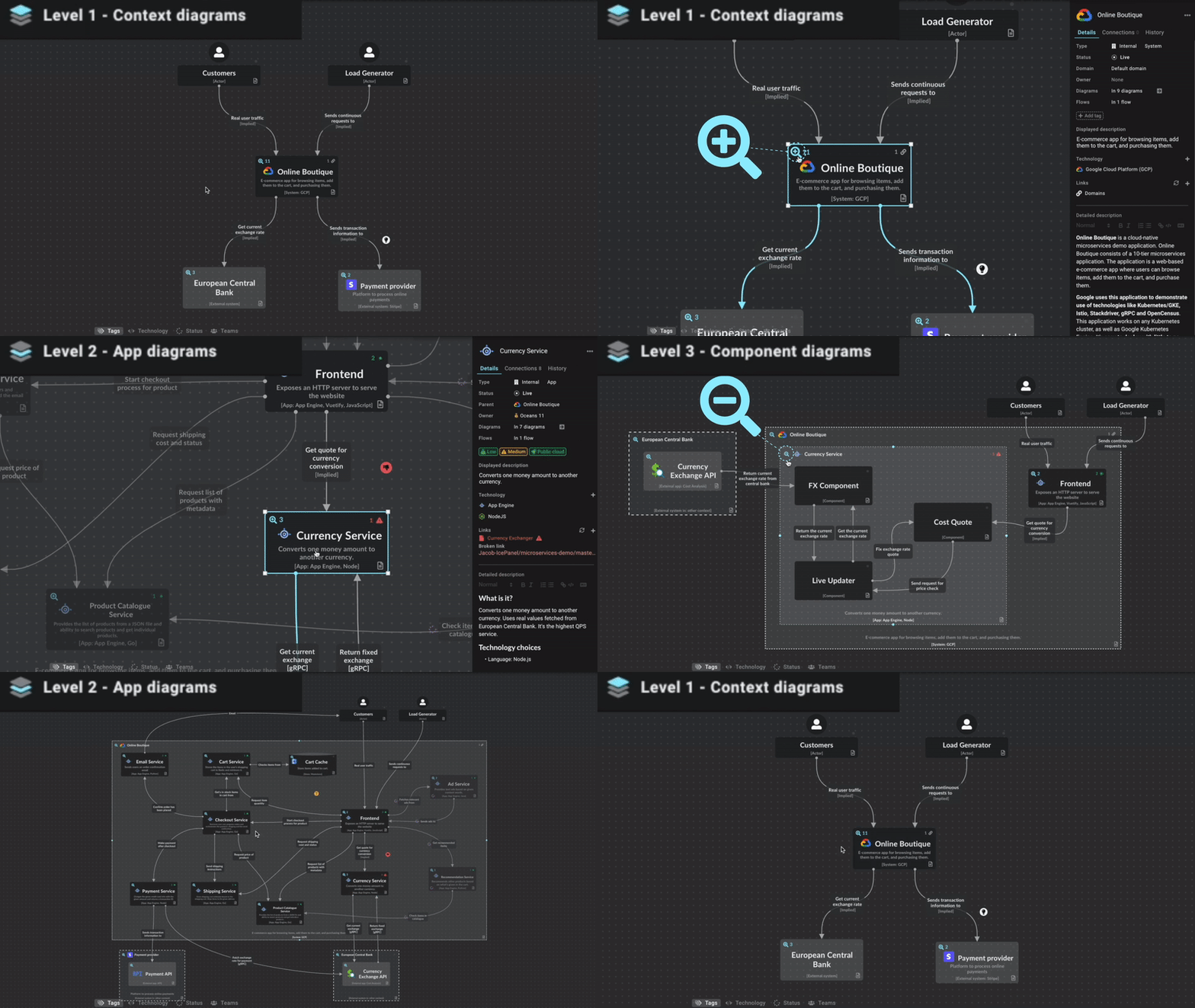
Using TypeScript Interfaces and TypeScript Generics, we can create a highly flexible factory that ensures the resulting objects adhere to a specific contract. This is particularly useful in TypeScript Testing environments where you might want to swap a real service for a mock service seamlessly.
Section 2: Advanced Async Patterns and API Handling
Handling asynchronous operations is a cornerstone of modern web development. TypeScript Async patterns combined with TypeScript Promises allow developers to manage side effects, such as API calls, with high confidence. One common pitfall in TypeScript JavaScript to TypeScript conversion is the overuse of the `any` type when dealing with API responses.
The Typed Result Pattern
Instead of relying on `try/catch` blocks scattered throughout your UI logic (common in TypeScript React or TypeScript Vue components), a “Result” pattern allows you to handle errors as values. This pattern leverages TypeScript Union Types and TypeScript Type Guards to force the developer to handle both success and failure states.
This approach improves TypeScript Error handling and makes the control flow explicit. It prevents the common runtime error where a developer assumes an API call always succeeds.
// Define the shape of our API data
interface UserProfile {
    id: number;
    username: string;
    email: string;
    isActive: boolean;
}

// Define a Result type using Discriminated Unions
type Result =
    | { success: true; data: T }
    | { success: false; error: E };

/**
 * A generic API fetcher that wraps the fetch API
 * and returns a typed Result object.
 */
async function safeFetch(url: string): Promise> {
    try {
        const response = await fetch(url);

        if (!response.ok) {
            return {
                success: false,
                error: new Error(`HTTP Error: ${response.status}`)
            };
        }

        const data = (await response.json()) as T;
        return { success: true, data };
    } catch (err) {
        // Narrowing the unknown error type
        const error = err instanceof Error ? err : new Error('Unknown error occurred');
        return { success: false, error };
    }
}

// Usage Example
async function loadUserProfile(userId: number) {
    const result = await safeFetch(`https://api.example.com/users/${userId}`);

    // TypeScript knows 'result' is a union type here
    if (result.success) {
        // In this block, TypeScript narrows type to { success: true; data: UserProfile }
        console.log(`User loaded: ${result.data.username}`);
    } else {
        // In this block, TypeScript narrows type to { success: false; error: Error }
        console.error(`Failed to load user: ${result.error.message}`);
    }
}
Async Iterators and Generators
For processing large datasets or streams, TypeScript Functions can utilize generators. When combined with TypeScript Async, this allows for memory-efficient processing of data streams, a technique often seen in TypeScript Performance optimization tasks.
Section 3: Structural Patterns and The Builder Implementation
As applications grow, configuring complex objects becomes tedious. This is often seen in TypeScript Build configurations (like TypeScript Webpack or TypeScript Vite setups) or when constructing complex DOM elements. The Builder Pattern separates the construction of a complex object from its representation.
The Fluent Builder Pattern
A fluent builder allows you to chain methods to configure an object step-by-step. This is extremely popular in TypeScript Frameworks and tools. By using TypeScript Utility Types like `Partial
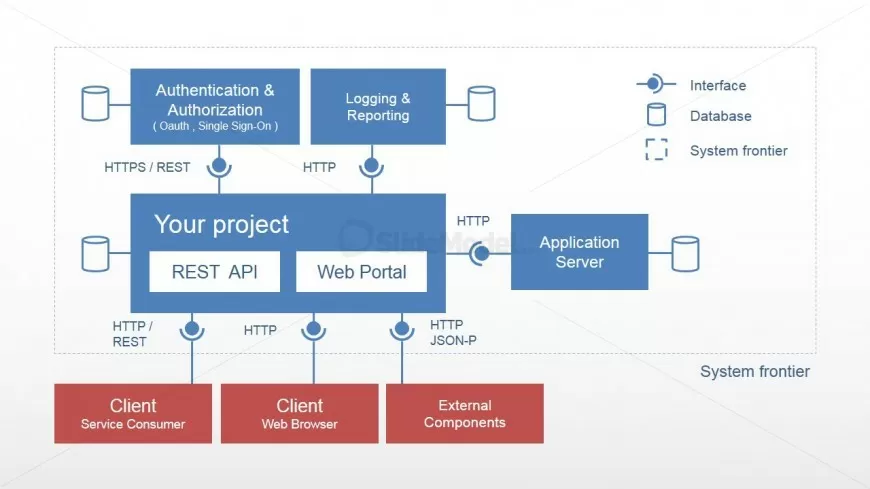
This pattern mimics the “Lifecycle hooks” concept found in many build tools, where you configure steps sequentially. It makes the code readable and self-documenting.
interface HttpRequestOptions {
    method: 'GET' | 'POST' | 'PUT' | 'DELETE';
    url: string;
    headers: Record;
    body?: string;
    timeout: number;
}

class RequestBuilder {
    // Initialize with defaults using Partial to allow incremental build
    private options: Partial = {
        method: 'GET',
        headers: {},
        timeout: 5000
    };

    constructor(url: string) {
        this.options.url = url;
    }

    public setMethod(method: 'GET' | 'POST' | 'PUT' | 'DELETE'): this {
        this.options.method = method;
        return this; // Return this for method chaining
    }

    public addHeader(key: string, value: string): this {
        if (!this.options.headers) {
            this.options.headers = {};
        }
        this.options.headers[key] = value;
        return this;
    }

    public setBody(body: object): this {
        this.options.body = JSON.stringify(body);
        this.addHeader('Content-Type', 'application/json');
        return this;
    }

    public setTimeout(ms: number): this {
        this.options.timeout = ms;
        return this;
    }

    // The build method validates and returns the concrete object
    public build(): HttpRequestOptions {
        if (!this.options.url) {
            throw new Error("URL is required");
        }
        // Type Assertion to confirm the object is complete
        return this.options as HttpRequestOptions;
    }
}

// Usage: Constructing a complex request cleanly
const apiRequest = new RequestBuilder('https://api.example.com/data')
    .setMethod('POST')
    .addHeader('Authorization', 'Bearer token_123')
    .setBody({ key: 'value', id: 1 })
    .setTimeout(10000)
    .build();

console.log(apiRequest);
Functional Composition
While Object-Oriented patterns are powerful, TypeScript Arrow Functions enable functional composition patterns. You can create higher-order functions that wrap logic, similar to middleware in TypeScript Express or decorators in TypeScript Angular. This is effectively a “Custom build step” pattern where data flows through a series of transformations.
Section 4: Best Practices and Optimization
Writing patterns is only half the battle; ensuring they are maintainable requires adherence to TypeScript Best Practices. This involves configuring your environment and utilizing the type system to its fullest extent.
Leveraging Utility Types
TypeScript Utility Types (Pick, Omit, Record, Readonly) are essential for creating derived types. Instead of duplicating interfaces, use utilities to transform them. This reduces maintenance overhead. For example, if you have a large `User` interface but only need a few fields for a specific function, use `Pick
Strict Mode and Linting
To ensure your patterns work as expected, your TypeScript TSConfig must be set to strict mode (`”strict”: true`). This enables `noImplicitAny`, `strictNullChecks`, and other vital checks. Furthermore, integrating TypeScript ESLint and TypeScript Prettier into your workflow ensures consistent formatting and catches potential logic errors early. This is crucial for TypeScript Debugging.
Type Guards and Type Inference
TypeScript Type Inference is powerful, but sometimes you need to be explicit. TypeScript Type Guards (functions that return `arg is Type`) are the correct way to handle runtime type checking. Avoid TypeScript Type Assertions (`as Type`) unless you are absolutely certain of the type, as this bypasses the compiler’s safety checks.
// Example of a User Defined Type Guard
interface Admin {
    role: 'admin';
    permissions: string[];
}

interface Guest {
    role: 'guest';
}

type User = Admin | Guest;

// The return type 'user is Admin' tells the compiler
// that if this function returns true, the variable is an Admin
function isAdmin(user: User): user is Admin {
    return user.role === 'admin';
}

function performAction(user: User) {
    if (isAdmin(user)) {
        // TypeScript knows 'user' is Admin here
        console.log(user.permissions.join(', '));
    } else {
        // TypeScript knows 'user' is Guest here
        console.log("Access denied");
    }
}
Conclusion
Mastering TypeScript Patterns is a journey that transforms you from a coder to a software architect. By moving beyond TypeScript Basics and implementing robust Creational, Behavioral, and Structural patterns, you ensure your applications are scalable and maintainable. Whether you are building TypeScript Projects for the web, mobile, or server, the patterns discussed—Singleton, Factory, Result, and Builder—provide a solid foundation.
As you continue your TypeScript Development, remember to leverage TypeScript Tools like TypeScript Jest for unit testing your patterns and keep your TypeScript Configuration strict. The ecosystem is vast, ranging from TypeScript Next.js to TypeScript NestJS, but the core patterns remain consistent. Start refactoring your legacy TypeScript JavaScript to TypeScript codebases today using these strategies, and you will see an immediate improvement in code quality and developer productivity.



