I spent three hours last Tuesday fighting Webpack just to add a tiny utility script to a static site. It broke my spirit. I didn’t want a build step. I just wanted to drop a script tag in my HTML, point it to a CDN, and write TypeScript with proper autocomplete.
Browsers have natively supported ES modules for years. We don’t actually need to bundle everything into a massive 4MB chunk anymore. You can just import directly from a URL. But if you’ve ever tried pasting a CDN link into a TypeScript file, you know exactly what happens next.
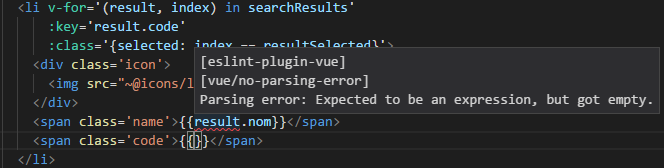
The editor lights up with red squiggly lines. TypeScript hates URL imports. It has no idea how to resolve the types for something living on a remote server.
And there is a way around this. You can keep your native ESM browser imports and force VS Code to give you full intellisense. No bundlers. No heavy toolchains.

The Import Map Illusion
The trick relies on separating what the browser sees from what the TypeScript compiler sees. The browser uses an Import Map. TypeScript uses path mapping.
First, we tell the browser where to find our external dependencies. We put this directly in our index.html.
<script type="importmap">
{
  "imports": {
    "canvas-confetti": "https://esm.sh/canvas-confetti@1.9.2",
    "htmx.org": "https://esm.sh/htmx.org@1.9.10"
  }
}
</script>
<script type="module" src="./dist/main.js"></script>
Now, in our TypeScript files, we don’t write the ugly URL. We write a clean bare specifier. The browser will intercept this and fetch the CDN version.
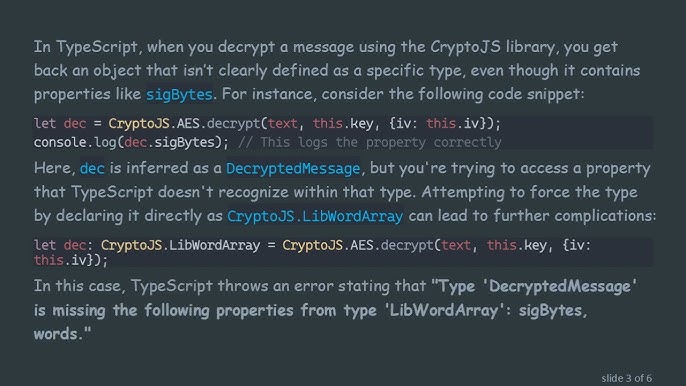
But TypeScript will still complain because it can’t find canvas-confetti locally. We fix this by installing the types—and only the types—as a dev dependency, then mapping them in tsconfig.json.
{
  "compilerOptions": {
    "target": "ES2022",
    "module": "ESNext",
    "moduleResolution": "bundler",
    "paths": {
      "canvas-confetti": ["./node_modules/@types/canvas-confetti"]
    }
  }
}
You get the best of both worlds. The browser loads the module directly from the edge network. Your editor reads the local type definitions. Autocomplete works perfectly.
Building the Modules (Async, API, and DOM)
Let’s look at how this actually behaves in a real module structure. I usually split my logic into specific domains. Here is a data-fetching module that grabs users from a remote API.

// api.ts
export interface User {
  id: number;
  name: string;
  email: string;
}

export async function fetchUsers(limit: number = 5): Promise<User[]> {
  try {
    const response = await fetch(https://jsonplaceholder.typicode.com/users?_limit=${limit});

    if (!response.ok) {
      throw new Error(HTTP error! status: ${response.status});
    }

    return await response.json();
  } catch (error) {
    console.error("Failed to fetch users:", error);
    return [];
  }
}
Nothing crazy here. Just standard async/await syntax. Because we are targeting ESNext in our config, TypeScript leaves the native ESM syntax alone during compilation.
Next, we need a module to handle the DOM updates. I keep DOM manipulation strictly separated from data fetching. It makes testing significantly less painful.
// dom.ts
import type { User } from './api.js';

export function renderUserList(users: User[], containerId: string): void {
  const container = document.getElementById(containerId);

  if (!container) {
    console.warn(Container ${containerId} not found in the DOM.);
    return;
  }

  container.innerHTML = '';
  const fragment = document.createDocumentFragment();

  users.forEach(user => {
    const card = document.createElement('div');
    card.className = 'user-card';
    card.innerHTML =
      <h3>${user.name}</h3>
      <p>${user.email}</p>
    ;
    fragment.appendChild(card);
  });

  container.appendChild(fragment);
}
Finally, our main entry point coordinates the API call, the DOM update, and our CDN-imported library.
// main.ts
import { fetchUsers } from './api.js';
import { renderUserList } from './dom.js';
import confetti from 'canvas-confetti'; // Resolved via import map in browser!

async function init() {
  const loadButton = document.getElementById('load-btn');

  loadButton?.addEventListener('click', async () => {
    // Disable button during fetch
    (loadButton as HTMLButtonElement).disabled = true;

    const users = await fetchUsers(3);
    renderUserList(users, 'user-container');

    // Trigger our CDN-loaded module
    confetti({
      particleCount: 100,
      spread: 70,
      origin: { y: 0.6 }
    });

    (loadButton as HTMLButtonElement).disabled = false;
  });
}

// Boot the app
if (document.readyState === 'loading') {
  document.addEventListener('DOMContentLoaded', init);
} else {
  init();
}
Moving away from heavy bundlers for smaller projects has been a massive relief. You write the code, compile it with tsc, and let the browser do what it was built to do. We finally have a module system that doesn’t require a Ph.D. in